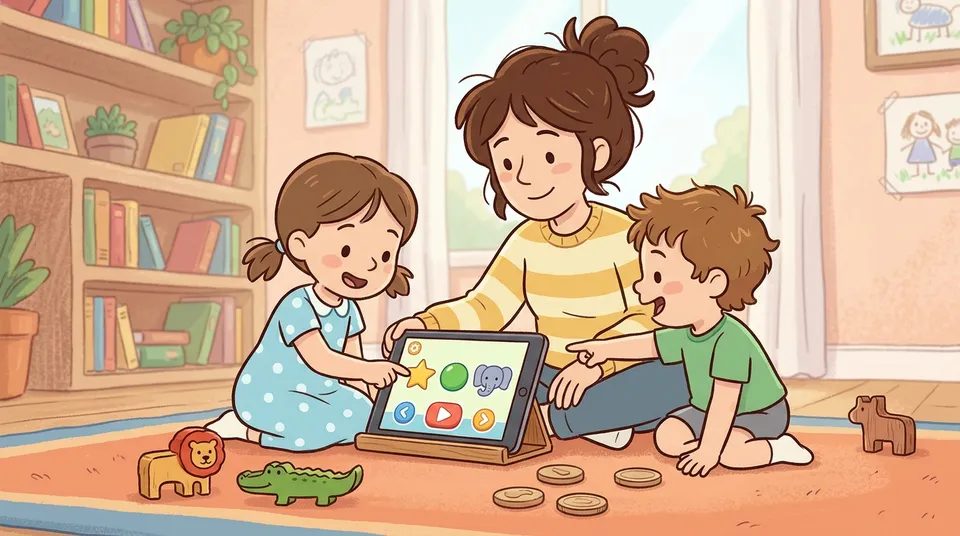
Two children can sit with the same tablet for the same twenty minutes and have completely different mornings. One watches autoplay videos roll past, thumb hovering, eyes glazed. The other runs a pretend shop, counting coins, deciding what to charge and working out the change. Same screen, same clock. Only one of them is learning anything.
That gap is the whole screen time vs learning apps question. For years the advice to parents was about the clock. How many minutes, how many hours. The research has moved on, and so has the official guidance. What kind of screen time your child has matters far more than how long it lasts. Passive watching and active learning are not the same thing. Once you can tell them apart, the whole debate gets easier to handle.
This guide covers how to spot the difference, what the guidelines actually say, and how to make the screen time your child does have genuinely count.
What’s the difference between screen time and a learning app?
Screen time is any time spent looking at a screen. A learning app is a narrower thing. It’s software built to teach a specific skill, where your child has to think and act rather than just watch. Researchers draw the key line between passive and active screen time.
Passive screen time keeps coming whether your child does anything or not. Think videos, cartoons, autoplay clips. Active screen time needs ongoing involvement. Your child makes choices, solves a problem, builds something, and gets feedback on what they did. A 2026 review in Frontiers in Psychology found the two types relate to children’s attention in genuinely different ways. Passive screen time was linked to weaker attention in preschoolers. Active, interactive use showed a more mixed picture, better for some kinds of attention and heavily dependent on the actual content.
So “screen time” isn’t one thing you can be for or against. A maths game where your four-year-old sorts coins is a different activity from half an hour of passive video, even though a screen-time tracker counts them the same.
How can I tell if an app is actually educational?
Be sceptical of the label. No quality standard exists that an app has to meet before calling itself “educational.” It’s a marketing word, not a certified one. When researchers at Penn State analysed some of the most-downloaded “educational” apps for children in the Journal of Children and Media, most scored low on genuine educational quality. Free apps tended to score even lower than paid ones.
The most useful test comes from a landmark 2015 review by Hirsh-Pasek and colleagues. They identified four pillars of learning that a genuinely educational app should support. Use them as a checklist:
1. Active, minds-on not just fingers-on. Does the app make your child think and problem-solve, or just tap and swipe? Popping bubbles for a reward is fingers-on. Working out which coin to use is minds-on. 2. Engaged, without distraction. Do the sounds, animations and rewards support the learning, or do flashing ads and pop-ups pull your child away from it? 3. Meaningful. Does it connect to something real in your child’s life and existing knowledge, like a shop, a story or counting, so the skill carries off the screen? 4. Socially interactive. Does it encourage your child to interact with characters, or better still with you, rather than playing in silent isolation?
An app doesn’t have to hit all four perfectly. But the more pillars it stands on, and the clearer its actual learning goal, the more likely it is to teach something. For a deeper walk-through of choosing apps, see our guide to educational apps that actually teach.
Five quick signs an app is genuinely educational
- Your child practises a real skill, not just collecting badges or stars.
- It gives useful feedback that responds to what your child does, rather than rewarding every tap.
- Your child can explain or show what they did afterwards.
- The skill shows up off the screen, like counting real coins or naming real shapes.
- They can stop without a meltdown, because good apps reach a natural end rather than trapping attention.
Rewards and badges alone prove nothing. As the Penn State researchers put it, an “educational” label in an app store is no guarantee that any learning is happening.
How much screen time is OK for kids by age?
Both major health bodies have moved away from a single magic number towards quality over quantity. They still offer age-based starting points. Here’s where the main guidelines land:
| Age | WHO guidance | AAP guidance |
|---|---|---|
| Under 18 months | No screen time | None except live video chat |
| 18 to 24 months | No sedentary screen time | High-quality content only, watched with a caregiver |
| 2 to 4 years | No more than 1 hour a day, less is better | No more than 1 hour a day of high-quality programming |
| 5 and over | Healthy limits, mind what it crowds out | Healthy habits over a fixed clock |
Here’s a reality check. One analysis found only around a third of children worldwide actually meet the WHO one-hour guideline. The numbers are a target to aim at, not a line you’ve failed by crossing once. Notice what both bodies stress. Quality of content and co-viewing with an adult matter as much as the minutes.
The American Academy of Pediatrics has even replaced the old two-hour rule with the 5 C’s of media use. It’s a more useful lens than a stopwatch:
- Child. Their age, temperament and needs.
- Content. Is what they’re using any good?
- Calm. How media is used to settle and soothe.
- Crowding out. What screens push aside, like sleep, play and time with you.
- Communication. Ongoing, open conversation about media.
The shift is away from “how long” and towards “how, what and why.”
What is passive vs active screen time, and why does it matter?
Picture it this way. With passive screen time your child is the audience. The show plays and they receive it. With active screen time your child is a participant. They make a choice, something responds, they adjust. That loop of action and feedback is the engine of learning, and it’s exactly what passive video lacks.
This is why a long stretch of passive screen time costs more than the minutes alone. Every hour of watching is an hour not spent on hands-on, often outdoor play. That messy, physical, social play is where young children learn the most. The World Health Organization put this at the centre of its under-5 guidance in 2019. The message wasn’t really that screens are evil. It was to bring back play. Quiet time with a caregiver, reading, storytelling, singing and puzzles, is the kind of sitting still that actually helps.
So when you weigh a piece of screen time, the sharper question isn’t how long. It’s whether your child is doing something here or just watching it happen.
How do I make screen time genuinely count?
You don’t need to ban screens to use them well. A few research-backed habits make a real difference:
- Co-play, don’t just hand it over. Children learn far more when an adult sits alongside, asking questions and linking what’s on screen to real life. This single habit does more than any app feature.
- Choose active over passive. An open-ended app where your child chooses their own path beats a linear video almost every time. If your child is only watching, it’s entertainment, not education. That’s fine, as long as you know which is which.
- Look for real-world transfer. The best digital play mirrors real play. A pretend-shop game builds the same counting and money skills your child uses with real coins, which is the bridge our own money games for kids are built around.
- Protect what screens crowd out. Guard sleep, mealtimes and active play first. Fit screens around them, not the other way round.
- Use built-in limits to hold the line. Features like Guided Access lock a tablet to one chosen app, so a learning session doesn’t drift into endless video. Our guide to Guided Access walks through the setup.
Direct human interaction still beats any screen for young children. No app replaces a conversation with you. But within sensible limits, a well-designed active learning app can be a genuinely good use of some of that screen time. The skill is simply telling the two apart.
Frequently asked questions
Is all screen time bad for young children?
No. The type matters more than the total. Passive screen time, like watching videos and autoplay clips, is linked to weaker attention and crowds out hands-on play. Active, well-designed apps where your child thinks, chooses and gets feedback can support learning, especially with an adult alongside.
How much screen time should a toddler have?
The WHO recommends no screen time under 18 months apart from video chat, and no more than an hour a day for ages 2 to 4, with less being better. The AAP gives similar guidance and stresses high-quality content watched together. Treat these as targets, not pass-or-fail lines.
Do children actually learn from apps?
They can, but most “educational” apps don’t deliver. Apps that keep children mentally active, connect to real life and give meaningful feedback can teach early maths, language and literacy. Apps that just reward tapping mostly entertain. The four pillars of learning are a good way to tell which is which.
Are free educational apps worse than paid ones?
Often, yes. Research analysing top-downloaded apps found free ones tended to score lower on educational quality, and they’re more likely to carry distracting ads or collect data. Price isn’t a guarantee either way. Judge the app on whether your child is actively learning.
What’s the difference between passive and active screen time?
Passive screen time keeps going whether your child engages or not, like watching a video. Active screen time needs their ongoing input, like choosing, solving or building, and gives feedback in return. Active, interactive use is far more likely to support learning than passive watching.
Should I watch or play apps with my child?
Yes, whenever you can. Co-viewing and co-playing, asking questions and linking the app to the real world, is one of the strongest things you can do to turn screen time into learning time, especially for under-fives.
Sources
- Hirsh-Pasek et al. (2015): Putting Education in “Educational” Apps, Psychological Science in the Public Interest
- Frontiers in Psychology (2026): Passive and active screen time relate differently to attention in preschool children
- World Health Organization: To grow up healthy, children need to sit less and play more (2019)
- American Academy of Pediatrics: Understanding the new AAP digital media guidelines
- HealthyChildren.org (AAP): Kids & Screen Time, How to Use the 5 C’s of Media Guidance
- Penn State: Top educational apps for children might not be as beneficial as promised
- Child Mind Institute: Can Screen Time Be Educational for Toddlers?
- A Reflection on Controversial Literature on Screen Time and Educational Apps Use in 0 to 5 Year Old Children (PMC)