Walk into the “education” section of any app store and you’ll find more than half a million apps claiming to teach your child something. The UK Parliament’s Education Committee recently pointed out the obvious problem with this. There are no quality standards an app has to meet before it slaps “educational” on its description. The word is, in practice, a marketing label.
So the question stops being “how much screen time is too much” and becomes a sharper one. Of all the time my child spends on a screen, how much of it actually teaches them anything?
The research has a fairly clear answer. A good educational app can genuinely move the needle on early maths, language and literacy. Most “educational” apps in the stores aren’t that good. Here’s how to tell them apart.
What makes an educational app actually educational?
A good educational app does four things at once. It asks children to think actively rather than just tap. It keeps them focused on a clear learning goal without distracting frills. The content is meaningful and connected to something children already know or care about. And it leaves room for social interaction, so a parent, sibling or classmate can join in.
This is the Four Pillars of Learning framework. Kathy Hirsh-Pasek and her colleagues published it in Psychological Science in the Public Interest in 2015. It has become the standard lens researchers use to evaluate whether an app fits how young children actually learn. The pillars are simple to remember: active, engaged, meaningful, and socially interactive learning, all aimed at a clear goal.
Researchers later applied this framework to the most-downloaded children’s apps from Google Play and the Apple App Store. The results were not flattering. Overall scores were low across all four pillars. Free apps did worst, largely because they pile on distracting animations, pop-ups and characters that pull attention away from the actual learning.
In other words: most apps that look educational fail the test.
Do educational apps actually help kids learn?
The honest answer is: the right ones, yes. Most of them, no.
A review led by researchers at Florida International University’s Center for Children and Families looked at 35 studies involving nearly 5,000 children under the age of six. They found genuine learning benefits. The strongest evidence was for early maths, followed by early language and literacy skills like letter knowledge, phonological awareness and vocabulary.
But the same body of research consistently finds that quality varies enormously from app to app. Penn State and Education Week have summarised the field in roughly the same way. Top-charting “educational” apps often don’t deliver. Parents shouldn’t assume the label means anything.
The takeaway is uncomfortable but useful. What your child is using matters far more than how long they’re using it.
How much screen time is okay for kids?
The American Academy of Pediatrics, known as the AAP, recently moved away from strict minute-counting toward something more useful. The new focus is quality, context, and conversation. Age-based limits still exist as a baseline:
| Age | AAP guidance |
|---|---|
| Under 18 months | No screens, except video calls with family |
| 18 months to 2 years | Only high-quality content, watched together with an adult |
| 2 to 5 years | Up to 1 hour per day of high-quality programming, ideally co-viewed |
| 6 and older | Consistent limits, with screens not displacing sleep, exercise, homework or family time |
The AAP also offers a memorable shorthand called the 5 Cs of Media Use:
- Child. Your specific child’s age and temperament.
- Content. Is what they’re using any good.
- Calm. Does the screen help or hurt self-regulation.
- Crowding Out. What is the screen time replacing.
- Communication. Do you talk with your child about what they’re using.
That last one is doing a lot of the work. Children learn measurably more from screens when an adult is engaged alongside them. Researchers call this co-viewing or co-playing.
How do I choose a good educational app for my child?
Here’s a practical checklist. It draws on guidance from NAEYC, the US National Association for the Education of Young Children, and from Common Sense Media. Before you let your child use an app regularly, work through these questions.
1. Does it have a clear learning goal? A good app can tell you in one sentence what it teaches. “Counting coins to 50p.” “Letter sounds A through M.” If the description is vague, like “fun learning adventures!”, be sceptical.
2. Does it ask the child to think, not just tap? Watch your child play for ten minutes. Are they making choices, solving small problems, applying what they’ve just learned? Or are they being entertained while the app does the work?
3. Is the interface clean? NAEYC calls this a “crisp” interface. Easy to enter, easy to exit, no confusion about what to do next. Flashy pop-ups, autoplaying videos and unrelated sound effects are red flags.
4. Can you adjust the difficulty? Good apps grow with the child. They offer levels, settings, or adaptive difficulty, so a five-year-old and a seven-year-old don’t get the same screen.
5. What’s the business model? This one matters more than people realise. Apps that aggressively push in-app purchases, time-gated lives, or upgrade screens are designed around the parent’s wallet, not the child’s learning. Apps that are free and ad-supported are usually the worst offenders.
6. What does it look like with the sound off? Try it. If the app is still engaging and clearly teaching something, that’s a good sign. If it falls apart, the music and animations were doing the teaching. Which means they weren’t.
7. Does it let you play together? The best apps for young children are ones an adult can sit alongside. If your only role is to hand over the tablet, you’ve lost the most powerful ingredient.
Red flags to walk away from
You can usually spot a poor-quality children’s app in the first two minutes. The patterns are consistent:
- In-app purchase prompts that interrupt play. Especially the ones with bright “Yes!” buttons and tiny “No thanks” links.
- Ads that look like part of the game. Banner ads, video ads and “watch this for a reward” ads. Young children can’t reliably tell them apart from content.
- Locked content after a “free trial.” The alphabet app that teaches letters A through M and then asks for £4.99 to continue is wasting your child’s attention.
- Licensed characters pushing other products. A cartoon character whose main job is to sell you toys, books or other apps is not your child’s teacher.
- No way out of an activity. If a child can get stuck in a sub-screen with no obvious back button, the design has failed them.
- Vague privacy policies. If you can’t tell what data is being collected, assume the worst, especially for free apps. Look for COPPA compliance. That’s the US standard most reputable kids’ apps follow.
Are free educational apps any good?
Some are. Many aren’t.
The research is reasonably stark here. In the 2021 content analysis of top app-store educational apps using the Four Pillars framework, free apps scored significantly lower than paid apps. The main reason was distracting “enhancements” like flashy sounds, animations and ad-driven interruptions that compete with the learning.
That doesn’t mean every paid app is great or that you need to spend a lot. It means: be more sceptical of free apps than of paid ones, and try a paid app’s free trial before buying.
Public-service options sit in their own category. Apps from the BBC, PBS Kids, museums, and established educational publishers often combine the price of a free app with the quality of a paid one. They’re not funded by ads or in-app purchases.
Does co-playing with your child really make a difference?
Yes. And probably more than anything else on this list.
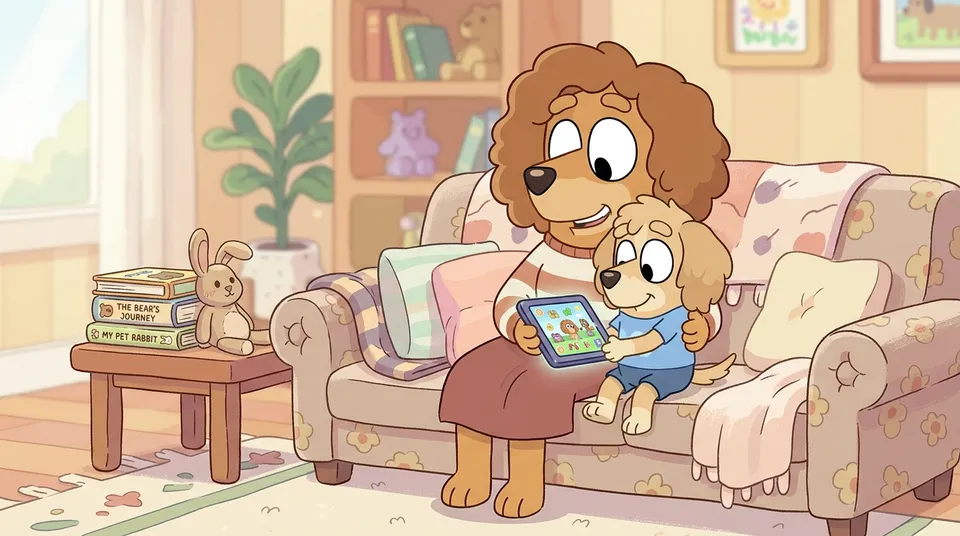
When parents sit with a young child during screen time, label what’s happening on screen, ask questions, and connect the content to real life, children learn measurably more. A simple “Look, that’s the same shape as your toy” is enough to start. This is true for educational shows, books and apps alike. The AAP and the FIU research both make the same point. A child watching alone is in a fundamentally different learning situation than a child watching with an engaged adult.
You don’t need to do this every session. Even occasional co-playing changes how children approach an app. They start treating it as something to discuss, not just consume.
A practical week of “screen time that counts”
If you want a simple way to put this into practice, try this for one week.
- Pick one or two apps you’ve tested against the checklist above. Delete or move the rest off the home screen. If you have an iPad, you can also use Guided Access to lock the device to one app per session.
- For at least one session per day, sit with your child while they use the app. Ask one or two questions. That’s it.
- Once a week, ask your child to show you something they learned from the app. If they can’t, that’s a useful data point.
- Pair the app with something off-screen. If the app teaches counting coins, get some real coins out afterwards. If it’s about letters, write some together. If it’s about money and shopping, try a pretend-play shop or a hands-on activity like our counting coins guide.
The point isn’t to be strict about screen time. It’s to make the screen time you do allow count. Treat it the same way you’d treat any other learning material.
Frequently asked questions
How do I know if an app is actually educational?
Check whether it has a clear learning goal, asks your child to think rather than just tap, has a clean interface without distracting pop-ups or ads, and lets you play alongside. If it fails any of these, the “educational” label is probably marketing.
How much screen time should my child have each day?
Current AAP guidance is no screens before 18 months, with video calls as the only exception. Children aged 2 to 5 should get up to one hour a day of high-quality content. Older children need consistent limits. Quality and parental involvement matter more than the exact number of minutes.
Are free educational apps any good?
Some are excellent, particularly those from public-service broadcasters and established educational publishers. But research consistently finds that free apps score lower on learning quality than paid ones. Ads and in-app purchase prompts distract from the actual content.
What’s the difference between an app being labelled “educational” and actually teaching?
There are no quality standards for the “educational” label in the app stores. Studies that have evaluated the most popular educational apps against learning-science criteria found that the majority scored poorly. Treat the label as marketing, not a guarantee.
Does it matter if my child plays alone or with me?
It matters a lot. Children learn measurably more from screens when an engaged adult is co-viewing or co-playing. Asking questions, labelling what’s happening on screen, and connecting the content to real life all make a difference. Even occasional co-play changes how children approach an app.
What about apps that teach maths or money skills?
Early maths is actually where research finds the strongest evidence of benefit from well-designed apps. Look for the same criteria: clear goal, active thinking, clean interface, room for an adult to join in. For more on the maths side, see why play-based learning works for maths and our guide to the best money games for kids.
How can I check an app before letting my child use it?
Try it yourself first for ten minutes with the sound off. Check the privacy policy. Look for reviews on Common Sense Media or the Good Play Guide. When your child first uses it, sit with them. You’ll learn more from watching them play than from any review.
Sources
- Hirsh-Pasek, K., Zosh, J. M., Golinkoff, R. M., Gray, J. H., Robb, M. B., & Kaufman, J. (2015). Putting Education in “Educational” Apps: Lessons From the Science of Learning. Psychological Science in the Public Interest.
- Meyer, M., et al. (2021). How educational are “educational” apps for young children? App store content analysis using the Four Pillars of Learning framework. Journal of Children and Media.
- Griffith, S. F., et al. Educational apps can benefit young children: FIU Center for Children and Families review.
- American Academy of Pediatrics. Understanding the New AAP Digital Media Guidelines.
- CHOC Children’s. Updated AAP recommendations for screen time.
- UK Parliament Education Committee. Screen time: impacts on education and wellbeing.
- NAEYC. Selecting Apps to Support Children’s Learning.
- Common Sense Media. How We Rate and Review: Apps.
- HealthyChildren.org. Why Co-Viewing is Important.
- The Good Play Guide. How to Choose Apps for Your Child.